It didn't look this blue down there.
While you dive, your brain corrects the colors in real time — your camera can't, so every photo comes back blue-green. ScubAI puts the color back. One tap. No editing skills. No subscription.
Pay once, keep forever · No subscription · No account
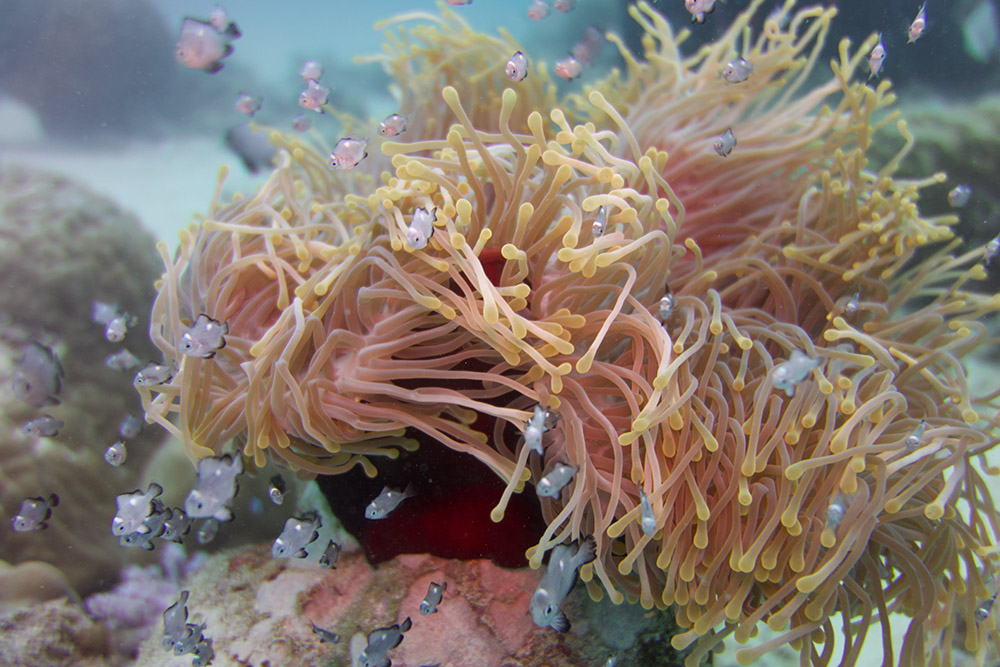
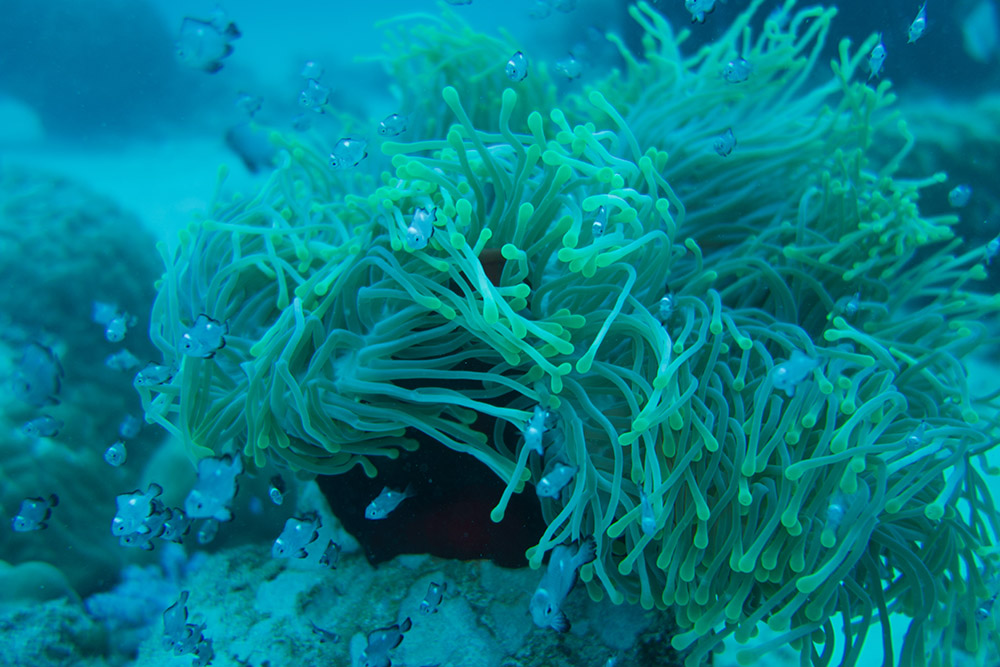
Drag — same photo, one tap apart
It's not your camera
The water keeps your colors.
Water swallows light one color at a time — and your brain quietly compensates while you dive, so you barely notice the cast. The camera has no brain. It records the light that's actually left, and the photo comes back bluer than anything you remember.
Past ten meters, even your eyes run out of red — divers see green blood at 20 m. The color isn't being hidden from you; the light simply isn't arriving. That's why every dive photo has the same blue-green cast, and why no ordinary filter knows how much to put back. Snorkeling counts too: red starts fading in the very first meters.
Not a filter
It knows the water you dove in.
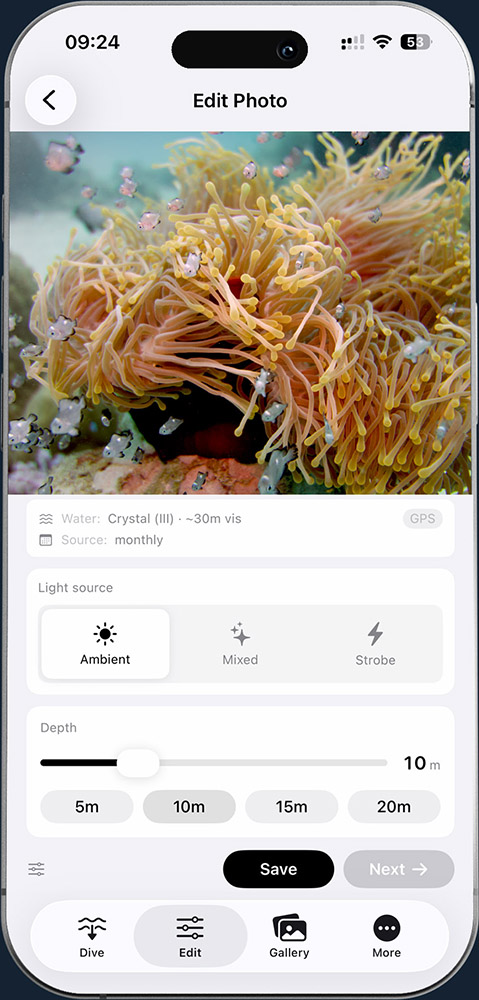
Filters guess. ScubAI knows the conditions at your dive site and the physics of how light fades underwater — so it computes exactly what the water took out of your photo, and puts it back.
The result is the reef in its true colors — what you'd see if the water weren't in the way. Often that's more than you saw on the dive: that grey sponge at 15 meters was bright red the whole time.
Curious how? Read the science behind it — real physics, openly documented.
How it works
Three steps. One of them is a tap.
Seal your iPhone in any housing
Any waterproof housing works — no special case required. A quick pre-dive checklist confirms battery, GPS and housing so nothing surprises you at depth.
Shoot like you always do
A full-screen viewfinder with no menus and no tiny buttons. The volume buttons work as the shutter — easy with gloves, easy when a turtle swims by.
Tap once
Open a photo and tap. ScubAI restores the colors the water took — automatically, right on your phone. That's the whole workflow.
After the trip
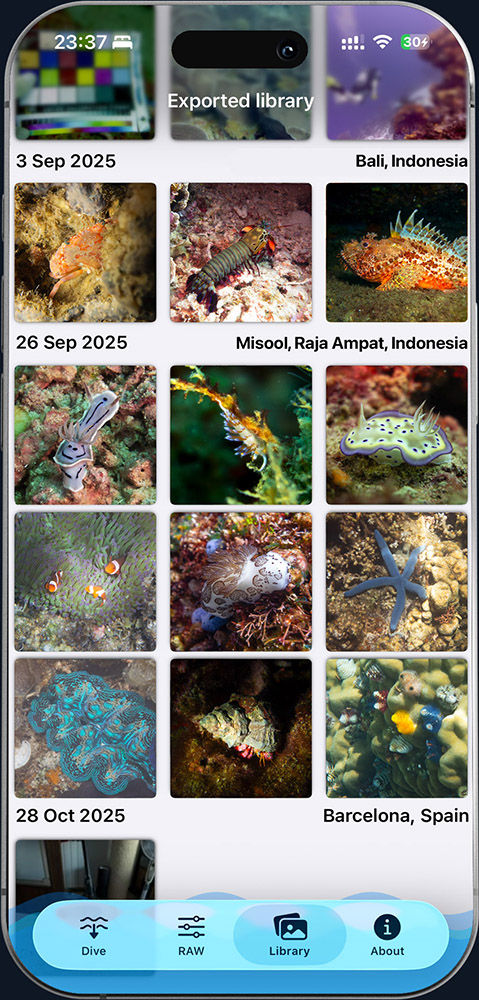
Every dive, already organized.
Photos are grouped by dive site automatically — "Misool, Raja Ampat", not a GPS coordinate. Find last Tuesday's turtle without scrolling through 3,000 vacation photos.
Share straight from the app. Your dive buddies get the colorful version, not the blue one.
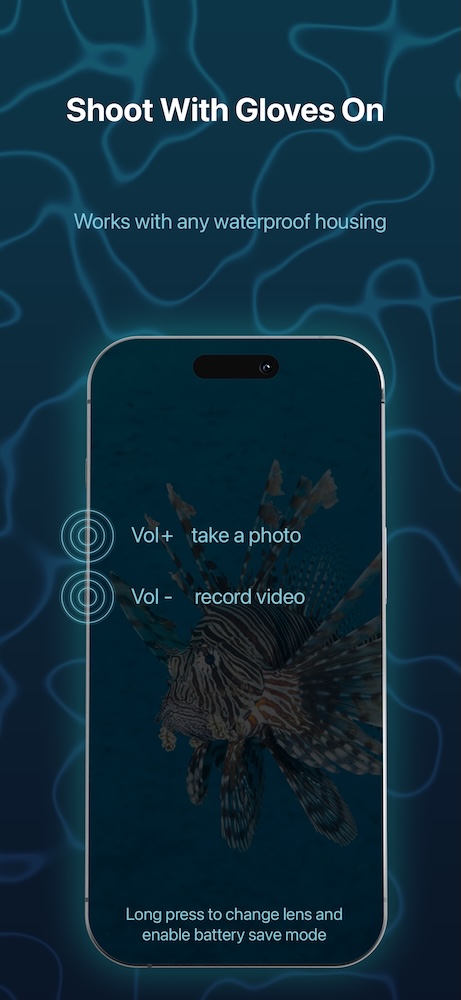
Built for diving
Designed for wet hands and thick gloves.
Underwater you have a regulator, a buddy, and fifty things to think about. So the camera has exactly one job: a big shutter you can press without looking — even through a housing, even in neoprene gloves.
Battery saver mode keeps the phone alive across a full day of diving.
An honest note
Trying to fix last trip's photos?
Here's the truth most apps won't tell you: a normal phone photo from a past dive has already thrown away most of the color information at the moment it was taken. No app can honestly recover what was never recorded — anything that claims to is just painting orange on top.
ScubAI fixes this at the source. It captures your photos in a richer format that keeps the color data the water suppressed — so after the dive, one tap genuinely brings it back. (Shooting with a real camera? RAW files from Sony, Nikon, Canon, Fuji and more import directly.)
Get it before your next trip, and every photo from that trip comes home with its colors.
Common questions
Underwater photos, answered.
Why do underwater photos turn blue or green?
Water absorbs warm light with depth — red is mostly gone by about 5 m, orange by 10 m, yellow by 20 m, leaving everything blue-green. While you dive, your brain quietly compensates so you barely notice; the camera records only the light that's actually left.
What's the best way to fix the blue color in dive photos?
Correct for the real conditions, not a one-size filter. ScubAI knows the water at your dive site and the physics of how light fades, computes exactly what the water removed, and puts it back — one tap, right on your iPhone.
Can ScubAI fix underwater photos I already took?
Only so far, and we're honest about it: a normal phone JPEG already threw away most of the color the moment it was shot, and no app can recover what was never recorded. ScubAI fixes this at the source by capturing a richer format that keeps the data — and it imports RAW files from Sony, Nikon, Canon, Fuji and more.
Do I need a red filter or a strobe?
No. ScubAI corrects in software from depth and water physics, so you don't need a red filter or an external strobe — and it works with any waterproof housing, no proprietary case required.
Does ScubAI have a subscription?
No — it's a one-time purchase. No subscription, no in-app purchases, no ads, no account. Every photo is processed on your iPhone; nothing is uploaded to the cloud.
Does it work for snorkeling and freediving?
Yes. Red light starts fading in the first few meters, so even shallow snorkel and freedive shots take on a color cast — and ScubAI restores it the same way it does for scuba depths.
The ocean is full of color.
Bring it home this time.
Set it up before your trip — it takes a minute.
Download on theApp Store